[0]
설치
WSL로 한다
cat /etc/os-release
dnf install -y epel-release
dnf install -y ansible
ansible --version
-
[1]
패키지 확인
python --version
ssh -V
-
[2]
pem key 체크
ls -l ~/.ssh
*대표 키 종류
id_rsa
id_rsa.pub
mykey.pem
chmod 600 ~/.ssh/mykey.pem
-
[3]
키 생성
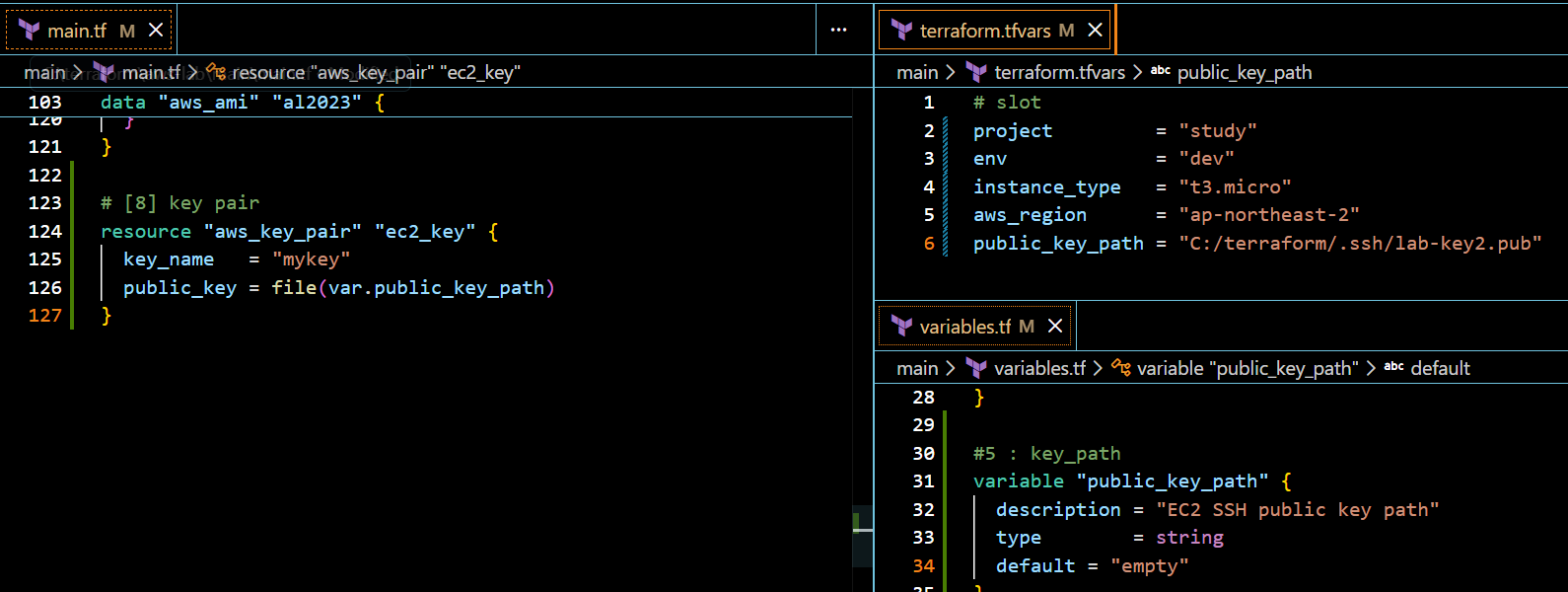
-
[4]
WSL에서 key 복사
[user@DESKTOP-27POUJI ~]$ cp /mnt/c/terraform/.ssh/mykey.pem ~/.ssh/
[user@DESKTOP-27POUJI ~]$ chmod 600 ~/.ssh/mykey.pem
[user@DESKTOP-27POUJI ~]$ ssh -i ~/.ssh/mykey.pem ec2-user@15.165.18.67
-
[5]
접속 완료시 Inventory 만들기
[user@DESKTOP-27POUJI /]$ cd ~
[user@DESKTOP-27POUJI ~]$ mkdir -p ansible
[user@DESKTOP-27POUJI ~]$ cd ansible


[user@DESKTOP-27POUJI ansible]$ ansible -i inventory.ini web -m ping
[WARNING]: Platform linux on host ec2-1 is using the discovered Python interpreter at
/usr/bin/python3.9, but future installation of another Python interpreter could change the meaning
of that path. See https://docs.ansible.com/ansible-
core/2.14/reference_appendices/interpreter_discovery.html for more information.
ec2-1 | SUCCESS => {
    "ansible_facts": {
        "discovered_interpreter_python": "/usr/bin/python3.9"
    },
    "changed": false,
    "ping": "pong"
}
-
[6]
playbook 만들기
- name: Configure web server (Amazon Linux 2023)
  hosts: web
  become: true

  tasks:
    - name: Update packages
      ansible.builtin.dnf:
        name: "*"
        state: latest
        update_cache: true

    - name: Install nginx
      ansible.builtin.dnf:
        name: nginx
        state: present

    - name: Enable and start nginx
      ansible.builtin.service:
        name: nginx
        state: started
        enabled: true

    - name: Deploy index.html
      ansible.builtin.copy:
        dest: /usr/share/nginx/html/index.html
        content: |
          <h1>Hello from Ansible</h1>
          <p>Host: {{ inventory_hostname }}</p>
          <p>IP: {{ ansible_host }}</p>
        owner: root
        group: root
        mode: "0644"
ansible-playbook -i inventory.ini playbook.yml
-

-
[6-1]
playbook
user생성 + sudo 권한 + ssh hardening (가본 운영형)
- name: Create admin user and harden ssh
  hosts: web
  become: true

  vars:
    new_user: devops

  tasks:
    - name: Create user
      ansible.builtin.user:
        name: "{{ new_user }}"
        groups: wheel
        append: true
        shell: /bin/bash
        create_home: true

    - name: Allow wheel group passwordless sudo
      ansible.builtin.copy:
        dest: /etc/sudoers.d/99-wheel-nopasswd
        content: "%wheel ALL=(ALL) NOPASSWD:ALL\n"
        owner: root
        group: root
        mode: "0440"

    - name: Disable password authentication
      ansible.builtin.lineinfile:
        path: /etc/ssh/sshd_config
        regexp: "^PasswordAuthentication"
        line: "PasswordAuthentication no"

    - name: Restart sshd
      ansible.builtin.service:
        name: sshd
state: restarted'[2] 250909~ 클라우드 > [b] 12월 : Terraform + Ansible' 카테고리의 다른 글
| [31] ALB + ASG (0) | 2026.01.22 |
|---|---|
| [30] Github -> Ansible (0) | 2026.01.12 |
| [28] 리소스 참조 (0) | 2026.01.09 |
| [27] backend 실제 구현 (0) | 2026.01.09 |
| [26] tfstate 개념 (0) | 2026.01.07 |