[0]
Powershell
-> winget install HashiCorp.Terrraform
-> terraform --version
-
[1]
VScode
-> HashiCorp Terraform
-> AWS Toolkit
-
[2]
VScode에서 ctrl + ~로 터미널 open
이미 Mobaxterm에서 aws cli 사용하고 있어서
aws configure로 하면 동일하게 로그인된다
aws configure list
aws sts get-caller-identity
-
[3]
프로파일 분리 -> 나중에
-
[4]
C:\terraform\aws-lab\
폴더 만들기
-
[5]
providers.tf
main.tf
variables.tf

variable "aws_region" {
  type    = string
  default = "ap-northeast-2"
}
#providers.tf

terraform {
  required_version = ">= 1.5.6"

  required_providers {
    aws = {
      source  = "hashicorp/aws"
      version = "~> 5.0"
    }

    random = {
      source  = "hashicorp/random"
      version = "~> 3.0"
    }
  }
}

provider "aws" {
  region = var.aws_region
}
#main.tf
resource "aws_s3_bucket" "tf-test" {
bucket = "tf-test-${random_id.suffix.hex}"
}
resource "random_id" "suffix" {
byte_length = 4
}
-
[5]
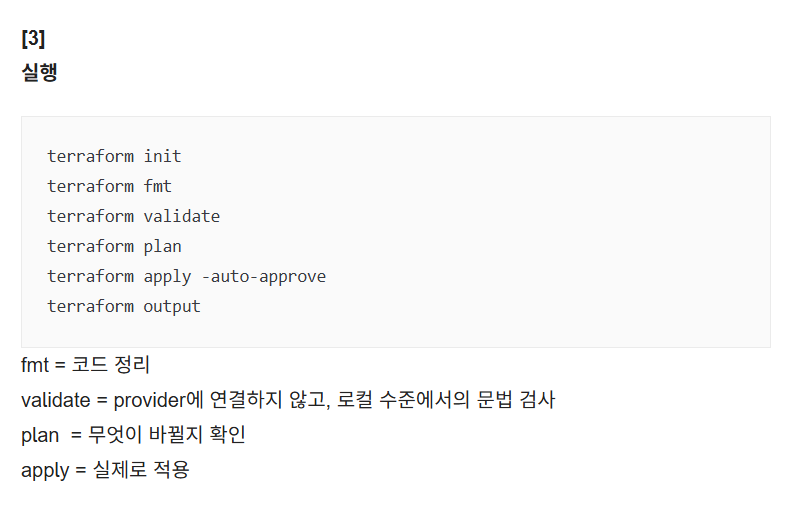
CLI로 실행
terrafom init
terraform fmt
terraform validate
terraform plan
terraform apply -auto-approve
terraform output
-
[6]
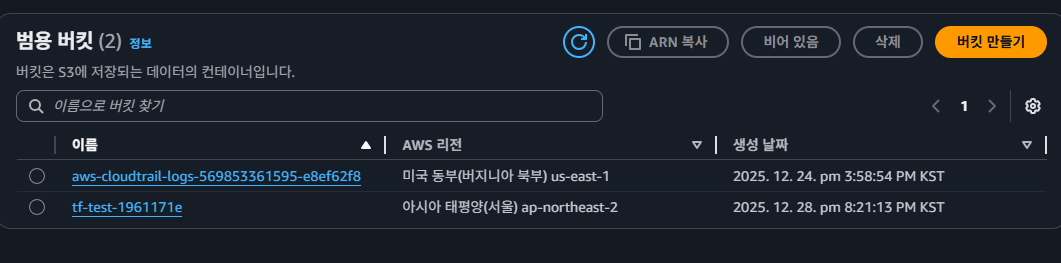
웹 콘솔에서 생성 확인
-
[7]
terraform.tfstate도 생성됨 확인

-
[8]
terraform destory


'[2] 250909~ 클라우드 > [b] 12월 : Terraform + Ansible' 카테고리의 다른 글
| [23] terraform vpc / subnet / igw / rt / sg / ec2 (0) | 2025.12.29 |
|---|---|
| [22] git, github (0) | 2025.12.29 |
| [20] SG 코드 (0) | 2025.12.28 |
| [19] Private subnet + NAT GW + EC2 / EIP (0) | 2025.12.27 |
| [18] Private + NAT GW (0) | 2025.12.26 |